
Service status
Check configuration. Understand the results.
Free checks · Order new report files separately
What would you like to check?
Wolf-Agents checks publicly visible settings of your website, email domain or API endpoint. You receive findings with explanations and can save and share the measurement as a report. What the report contains
Free browser findings need no installation, account or email address. Ordering files requires an email address for contract delivery; a single report is also available as a guest.
Choose a suitable checkSee what a check delivers.
Choose a check. Everything below comes from our own measurement on 06 Oct 2026.
Website
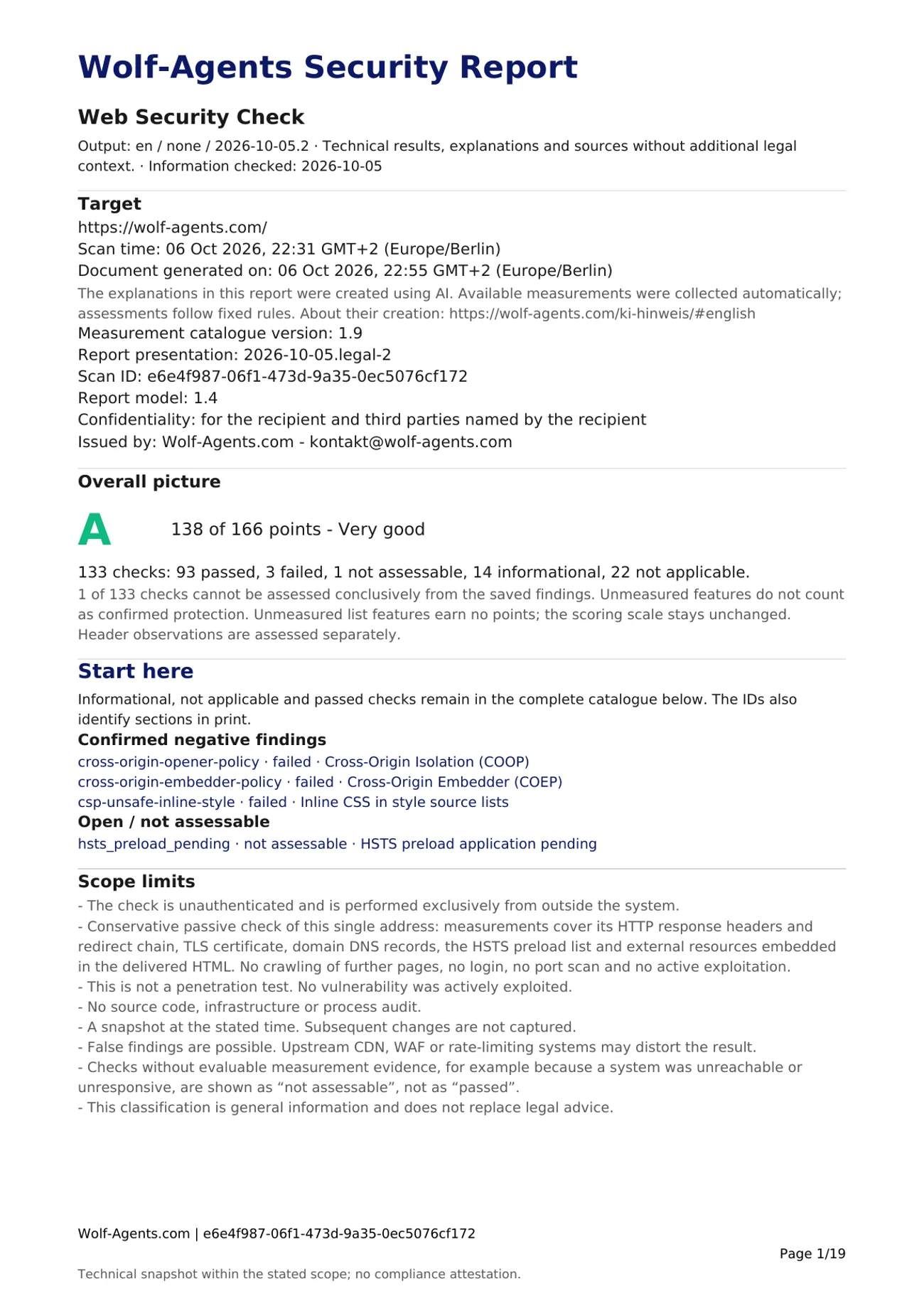
Measured on 06 Oct 2026, 22:31 GMT+2 (Europe/Berlin): https:/
- Checks
- Response headers and redirects, TLS certificate, domain DNS, HSTS preload list and external resources in the delivered HTML.
- Leaves out
- No crawling of further pages, no login.
Result of this measurement: grade A (Very good), 138 of 166 points.
| Check | Status |
|---|---|
| Protection against injected malicious code (XSS) | passed |
| Enforced encryption (HSTS) | passed |
| CSP reporting (report-uri) | Information |
| Inline CSS in style source lists | failed |
| HSTS preload application pending | not assessable |
Email domain
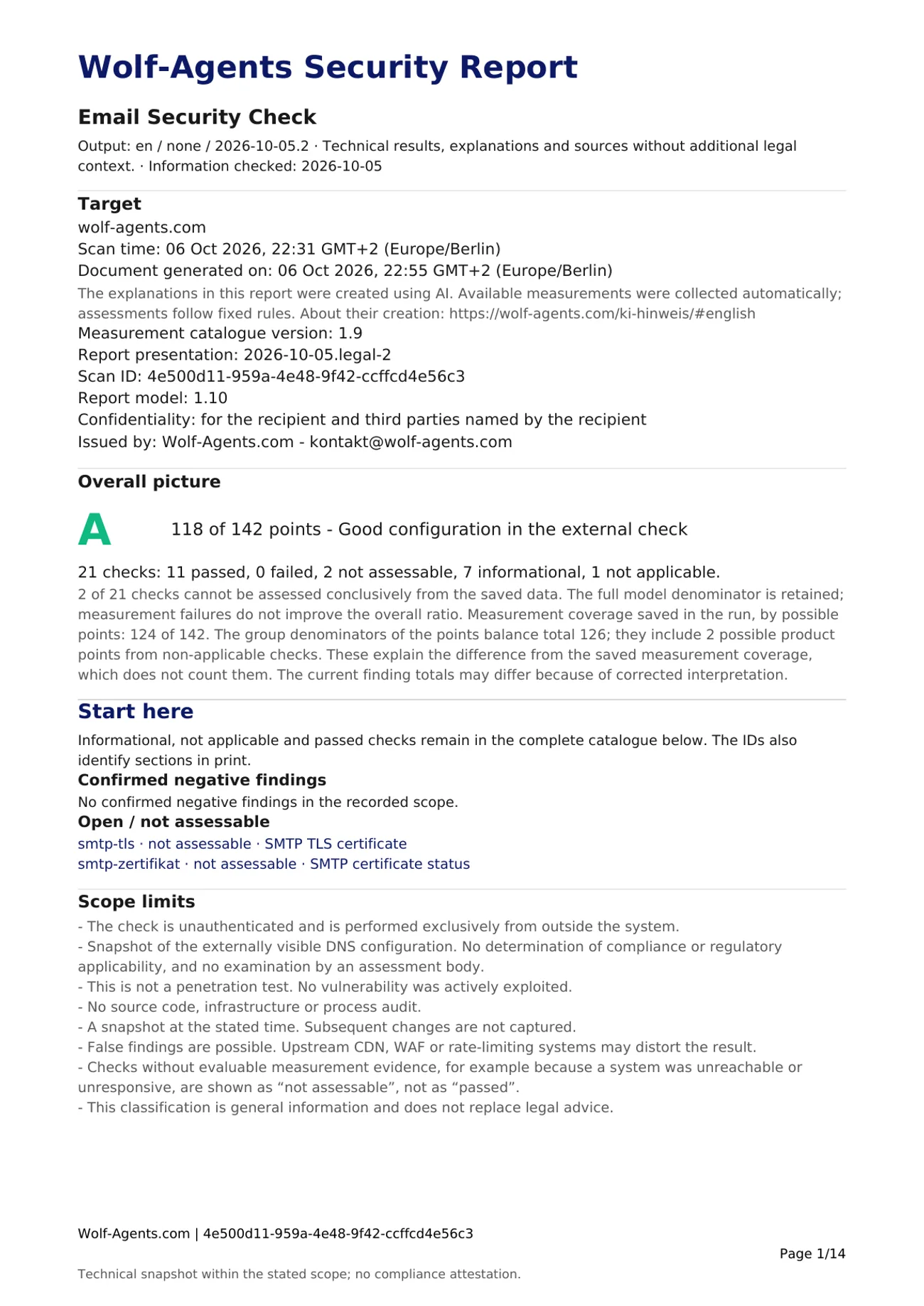
Measured on 06 Oct 2026, 22:31 GMT+2 (Europe/Berlin): wolf-
- Checks
- SPF, DKIM, DMARC, MTA-STS, TLS-RPT, DNSSEC and DANE, plus a limited SMTP observation of the mail server.
- Leaves out
- No mailbox access, no proof that a particular message was delivered.
Result of this measurement: grade A (Good configuration in the external check), 118 of 142 points.
| Check | Status |
|---|---|
| Brand Indicators for Message Identification | Information |
| MTA Strict Transport Security | passed |
| TLS Reporting | passed |
| SMTP TLS certificate | not assessable |
| SMTP certificate status | not assessable |
API endpoint
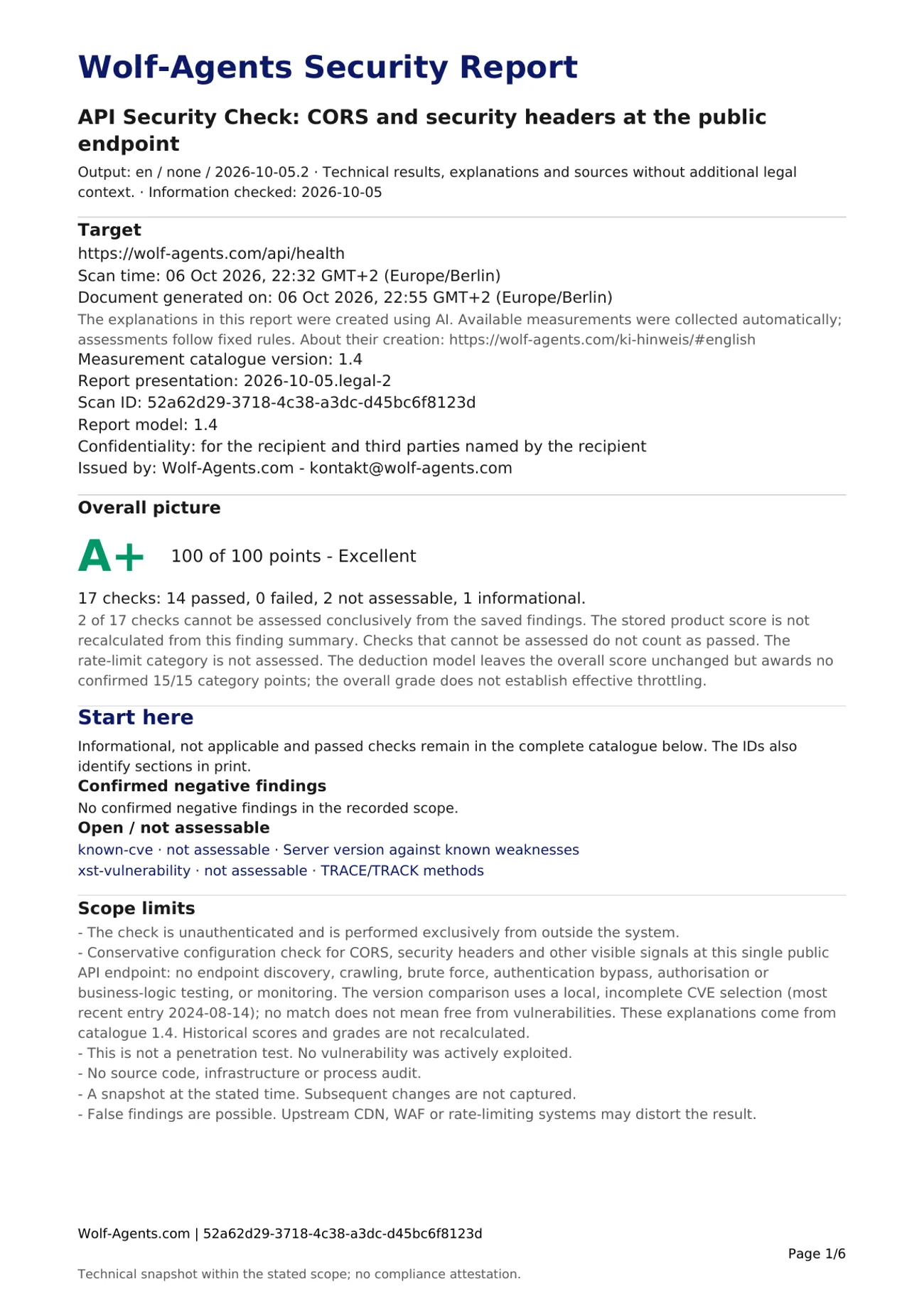
Measured on 06 Oct 2026, 22:32 GMT+2 (Europe/Berlin): https:/
- Checks
- CORS, security headers, server information and an error probe from limited GET and OPTIONS requests.
- Leaves out
- No endpoint discovery, no login, no load or role testing.
Result of this measurement: grade A+ (Excellent), 100 of 100 points.
| Check | Status |
|---|---|
| CORS: origin reflection | passed |
| Stack traces in error responses | passed |
| Rate limit headers | Information |
| Server version against known weaknesses | not assessable |
| TRACE/TRACK methods | not assessable |
Only check targets you operate or are authorised to assess. Scanner terms of use
Then: fix, hand over, keep a record.
All three start from the same saved measurement.
- Fix
- Each finding states the measured value, explains it and says what it does not show. The guides explain the setting behind it.
- Hand over
- The PDF sums up the target, time, grade, every check and the limits of the findings. In the DOCX version you can add your own notes before passing it on.
- Keep a record
- Every file carries the measurement time and scan ID. After a change, start a new check and compare the files yourself; there is no automatic comparison.
Clear scope, careful assessment.
The checks look at what is publicly reachable from outside and record the state at a fixed point in time. They complement penetration tests, audits and NIS2 assessments rather than replacing them. Protective systems such as a CDN or WAF can affect individual measurements. If a check has no assessable evidence, the result marks it as “not assessable” and never as “passed”.
Who is behind it
Developed and run by Eduard Wolf, founder and sole operator, in Bavaria.
Method
Grades follow fixed rules and a versioned catalogue. The report lists the technical sources behind its findings.
How these results are createdFrequently asked questions
What is free?
The public Web, Email and API checks and their browser findings are free, without an account or email address. Order new report files separately. You see the price, scope, taxes and contract terms before placing a binding order. Existing free file access retains its original validity. Protective measures and scan limits still apply.
What is the new Wolf-Agents application?
The new Wolf-Agents SaaS application for managing checks and reports is still operating in a closed environment. Alongside email and password, its optional account is intended to support sign-in through Google, GitHub, Microsoft or GitLab.com. We use the provider identifier and, where supplied, name and email for sign-in and contact suggestions. We verify the chosen contact address ourselves. Public checks remain available without an account. Privacy information for the new SaaS sign-in
Does a good result prove that everything is secure?
No. A good result describes the checked settings at the time of measurement; even A+ applies only to that scope. Areas outside the scope remain open. If the measurement basis is not sufficient for an overall grade, the check does not award one, and a missing assessment does not count as passed.
Can I use the report for clients?
You may use results from checks you are authorised to perform as working documents and share completed files under the applicable scanner terms of use. A report is not a recognised audit or compliance certificate. White-label use and resale as a separate product are not promised.
Are these checks a penetration test or NIS2 audit?
No. The automated checks examine a limited technical scope from outside. They do not replace a complete security review, an organisational audit or a legal assessment.